Course Creation Flow
End-to-end course creation via the Partner API.
The Partner API provides a complete programmatic course creation pipeline. Here's how to build a course from scratch.
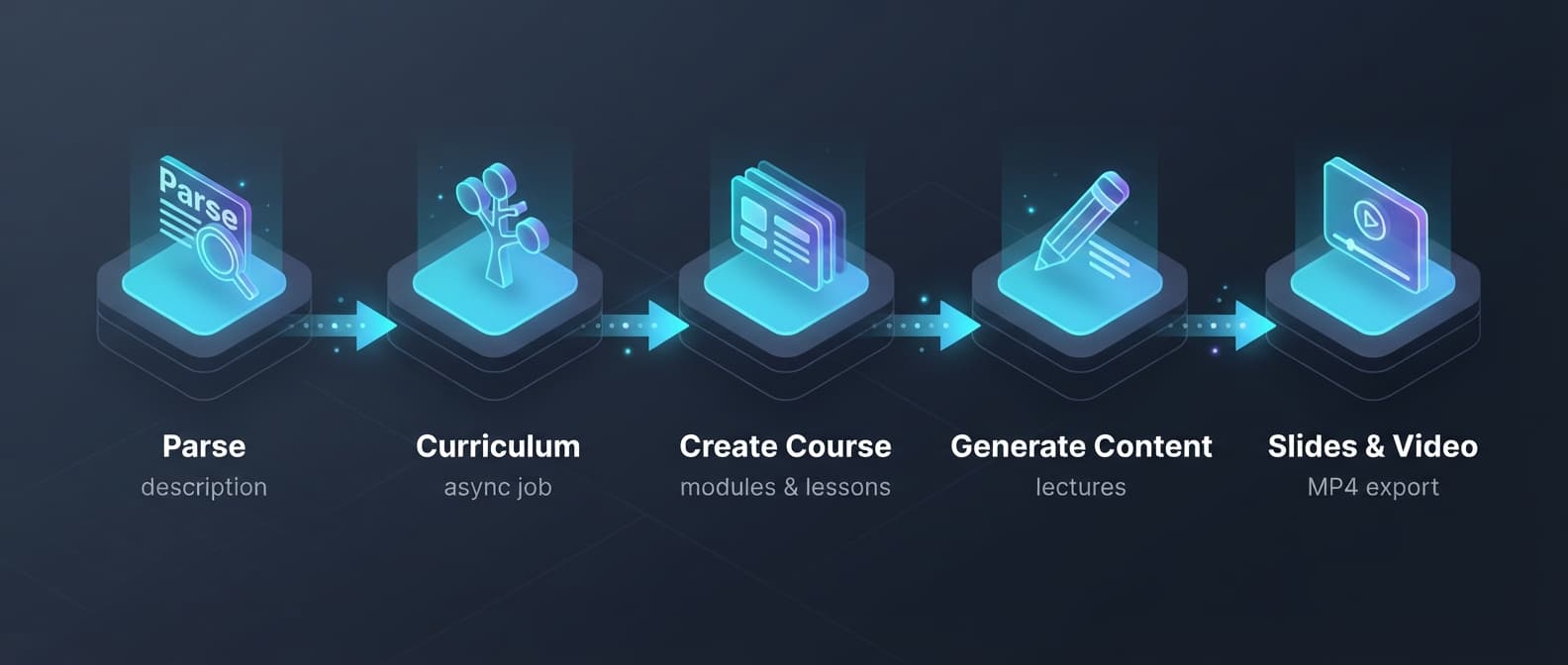
Step-by-step flow
1. Parse Description
Start with a natural-language prompt describing the course you want. The API returns structured form data with title, slug, objectives, and configuration.
POST /api/v1/course-creation/parse-description2. Generate Curriculum
Feed the parsed data into the curriculum generator. This runs asynchronously — you'll get a job ID to poll.
POST /api/v1/course-creation/curriculum-jobs
GET  /api/v1/course-creation/curriculum-jobs/{jobId}
3. Create Course
Take the completed curriculum and create the course with modules and lessons.
POST /api/v1/courses4. Generate Content
Fill each lesson with AI-generated lecture content.
POST /api/v1/courses/{courseId}/lessons/generate-all5. Generate Slides & Video
Produce illustrated slides and video exports for each lesson.
POST /api/v1/courses/{courseId}/lessons/generate-slides
POST /api/v1/courses/{courseId}/lessons/generate-videos
Authentication
All requests require a LEIA API key:
Authorization: Bearer leia_sk_...Keys are created from the LEIA Creator Dashboard under Workspace → API Keys.
Idempotency
All POST endpoints support Idempotency-Key headers for safe retries. Use a unique key per request — resending with the same key returns the cached response.