Agentic API Workflow & Skills
Supercharge your AI coding agents with the installable LEIA Partner API agent skill, compatible with Antigravity CLI, Pi, Codex, and Claude Code.
Integrating complex educational workflows and media generation can be challenging for standard LLMs due to multi-step pipelines, async polling, and strict Zod validation schemas.
To bridge this gap, LEIA Docs includes an installable agent skill (leia-api-access). This skill encapsulates expert integration knowledge, ensuring that AI coding assistants can generate 100% correct, reliable code on their first attempt without endpoint hallucination.
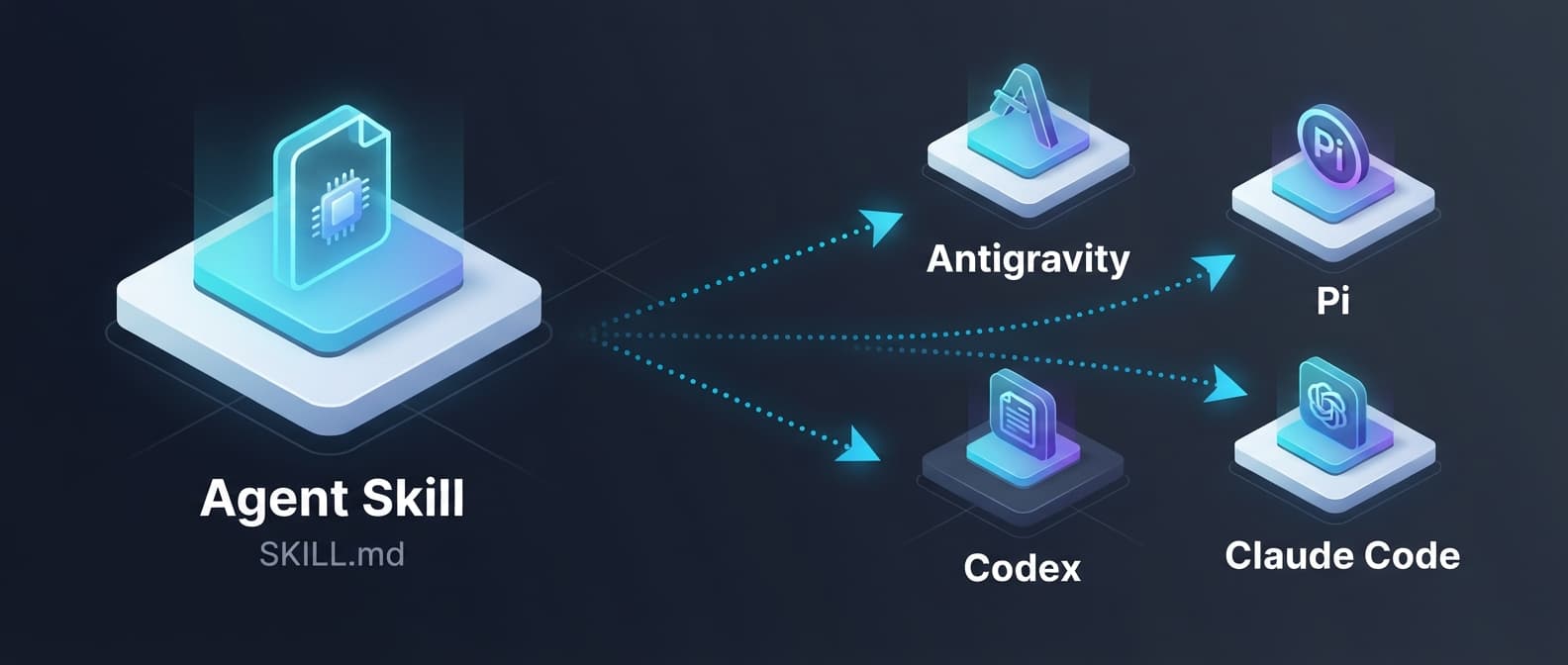
What is an Agent Skill?
An agent skill is a specialized markdown specification (SKILL.md) equipped with system instructions, API rules, reference code skeletons, and validation guidelines. It acts as an in-context documentation manual that tells coding agents exactly how to call the LEIA Partner API, handle asynchronous jobs, and manage errors.
The Skill Path
Once installed, the skill lives in your workspace at:
.agents/skills/leia-api-access/SKILL.mdInstallation
Install the skill directly into your workspace from GitHub using the skills CLI:
npx skills add dasomx/leia-docs --skill leia-api-accessCompatibility with Coding Agents
This skill is designed to work out-of-the-box with modern AI coding assistants.
[!IMPORTANT] Universal Setup Pattern (All Agents):
- Auto-Discovery: Always create a project directory first, and launch your chosen agent from within that directory. The agent will automatically detect and load the skill.
- Explicit Reference: If the skill is not automatically detected, or you want to force-focus the agent on the skill context, explicitly mention the skill path in your prompt using its relative reference:
@[.agents/skills/leia-api-access/SKILL.md].
Here is how to configure it for the specific tools you use:
1. Antigravity CLI
The Antigravity CLI natively supports the installation and execution of agent skills.
- Skill Execution: When you command Antigravity to perform LEIA Partner API tasks, it will reference the
SKILL.mdrules and examples to formulate its plan and execute the workflow.
2. Pi
Pi is a powerful coding assistant with modular workspaces.
- Context Injection: Drag the
.agents/skills/leia-api-access/SKILL.mdfile into the Pi chat window or add it to your project workspace context panel. - Task Prompting: Use the universal setup pattern or instruct Pi: "Using the rules and code patterns defined in
.agents/skills/leia-api-access/SKILL.md, implement a course creator client."
3. Codex
Codex is a versatile environment for developing complex codebases.
- System Settings: If using Codex with custom prompt configurations, reference the path to
SKILL.mdor copy its content directly into Codex's system instructions. - Prompt Reference: Use the universal setup pattern to instruct Codex on API parameters, Zod rules, and endpoint details.
4. Claude Code
Claude Code is a command-line agent designed for fast terminal-based coding.
- Direct Reference: Add the skill file path directly to your terminal prompts. For example:
claude "write a typescript client for course creation using the rules in .agents/skills/leia-api-access/SKILL.md" - Local Context: Since Claude Code reads your local repository state, it will automatically pull in the skill file's instructions when launched in the project directory.
Key Integration Patterns Encapsulated
By loading this skill, your coding agent will automatically master the following advanced LEIA Partner API capabilities:
The RAG Draft Course Chain
A common point of confusion is how reference files (PDFs, DOCX) get linked to newly created courses. The skill strictly guides agents to:
- Upload files to
POST /rag-documentsto receive adraftCourseId. - Wait for processing via
GET /course-creation/drafts/:draftCourseId/rag-status. - Pass the
draftCourseIdtoPOST /coursesso the server auto-claims and links all draft documents to the final course.
Zod Validation Schema Safeguards
The Partner API enforces strict validation rules. The skill prevents the agent from making validation mistakes:
- Difficulty: Strictly
"beginner" | "intermediate" | "advanced". - Tone: Strictly
"formal" | "casual" | "conversational". - Lesson Slugs: Every lesson in the curriculum array must have a unique
slug(frequently missed without the skill).
Interactive Prompt Examples
Try copying these prompts directly into your AI coding assistant after installing the skill:
1. General Course Creation
Use the LEIA Partner API to create a 12-lesson Korean course about practical SQL for data analysts. Show the request sequence and polling steps.2. Slide & Video Generation
I have courseId course_123 and lesson IDs cmp1, cmp2. Generate slides with the whiteboard template, then export videos through the LEIA API.3. Programmatic Parse & Create Course
Based on the LEIA Partner API skill in .agents/skills/leia-api-access/SKILL.md, write a Node.js script that:
1. Parses a description for a "Practical Rust Web Development" course.
2. Starts the async curriculum job and polls until it's completed.
3. Automatically curates the curriculum to have exactly 3 modules with 2 lessons each.
4. Creates the final course on LEIA.
4. Document Upload & RAG Course Creation
I want to build a course from an internal PDF manual. Using the LEIA Partner API skill, write a Python script using 'requests' to:
1. Upload 'handbook.pdf' via the multipart RAG pipeline.
2. Poll the draft RAG status until complete.
3. Generate a curriculum using the returned draftCourseId.
4. Create the final course ensuring the draftCourseId is correctly linked.
5. PDF Export
I have courseId course_abc and want to export all lecture lessons as a single PDF package. Using the LEIA Partner API skill, write a shell script that:
1. Triggers a PDF export job via POST /courses/:courseId/pdf-exports (no lessonIds needed to export all).
2. Polls /pdf-exports/jobs/:jobId until status is COMPLETED.
3. Downloads the ZIP from the pre-signed S3 downloadUrl in result.downloadUrl.